Transform your clips with AI
Pick a trending effect, upload your footage, and watch it transform in seconds, no editing skills, no timeline, no fuss.
85 AI video effects
Trending this week
The effects creators are running right now. Scroll the rack, pick one, and it opens in the app.
-poster.webp)


Pick your look
Werewolf
Werewolf turns your uploaded clip into a full mid-frame transformation: fur spreading across the face, fangs pushing through, eyes catching the light. You start as you, and finish as something that should not be out after dark.
Giant Grab
Giant Grab drops a huge hand into your clip, closing around you and lifting you out of the scene while the background keeps rolling. The result is a scale-bending grab that looks like you got picked up by something ten times your size.
I Can Fly
I Can Fly takes your uploaded clip and lifts you off the ground, sending you up and out of frame in one continuous takeoff. You get a superhero-style launch with hair, clothes, and background reacting to the rise, no green screen and no wire rig.
Explosion
The Explosion effect turns an ordinary clip of you walking, turning, or standing still into an action-movie exit, with a fireball blooming behind you and blowing debris and heat haze into the frame. The result is a slow-motion hero shot where you keep walking and never look back.

Zoom Out
Zoom Out starts tight on your subject and pulls the camera steadily back until the full scene is in frame, turning a plain clip into a reveal shot. You get the drone-style widening move without a drone, a dolly, or a second take.

Force Field
Force Field drops a translucent energy dome around the subject of your clip, with hex panels flaring across the shell and ripples snapping outward wherever something touches it. Your original framing and movement stay untouched, so it reads like the person just switched their shields on mid-shot.

Smoke Fade
Smoke Fade dissolves your subject into a cloud of drifting smoke, edges first, until only thin wisps curl through the frame. You get a moody, cinematic exit out of ordinary phone footage, with no VFX artist and no rotoscoping session.

Exo Armor
Exo Armor takes your uploaded clip and plates the person in it with layered sci-fi exoskeleton armor that tracks their movement, frame by frame. The result is a suited-up mech moment: hard shell panels, glowing seams, and a silhouette that looks built for a hangar bay instead of your hallway.

Portal Step
Portal Step opens a glowing ring of light mid-stride and sends your subject walking straight through it, out of one place and into another. You upload one ordinary walking clip and get back a dimension jump, with no green screen and no VFX timeline.

Golden Glow Maternity
Golden Glow Maternity takes a plain clip of your bump and relights it as golden hour, wrapping the silhouette in warm rim light with a soft honey haze behind you. You get the sunset maternity look without a sunset, a photographer, or a partner holding a reflector.

Claymation Me
Claymation Me rebuilds your uploaded clip as a hand-sculpted clay puppet, complete with matte plasticine skin, thumbprint dents, chunky features and that slightly jittery stop-motion bounce. Your movements and framing stay the same, you just look like someone molded you out of a fresh block of clay.

Rainbow Breath
Rainbow Breath turns a plain exhale into a ribbon of rainbow colored vapor pouring from your subject's mouth. The AI tracks the face and mouth through the clip, then paints prismatic mist that curls, drifts, and fades with the movement.

Chrome Shift
Chrome Shift coats your clip in liquid metal, turning skin, hair, clothing and props into a mirror-polished chrome that warps the light around them as they move. One upload gets you the slick, molten sci-fi look that usually takes a VFX artist and a week of roto work.

3D Rotation
3D Rotation takes the clip you upload and swings the camera around your subject, turning a locked-off shot into a full orbit. You get that turntable spin, with the AI filling in the angles your original framing never caught.
-poster.webp)
Queen/King
The Queen/King effect takes your uploaded clip and crowns the person in it, adding regal robes, jewels and a throne-room glow while their real movement stays intact. The result looks like a coronation portrait that decided to move: heavy fabric, golden light, and a face that clearly knows it now outranks everyone in the group chat.

Curtain Reveal
Curtain Reveal drops a pair of stage curtains over your uploaded clip and sweeps them open to reveal whatever you shot behind them. The result is a theater-style opening: dark frame, parting fabric, then your subject front and center under the reveal.

Energy Aura
Energy Aura wraps the person in your clip in a glowing field of light that traces their outline and flares as they move. A plain phone video comes back looking like the moment right before someone powers up.
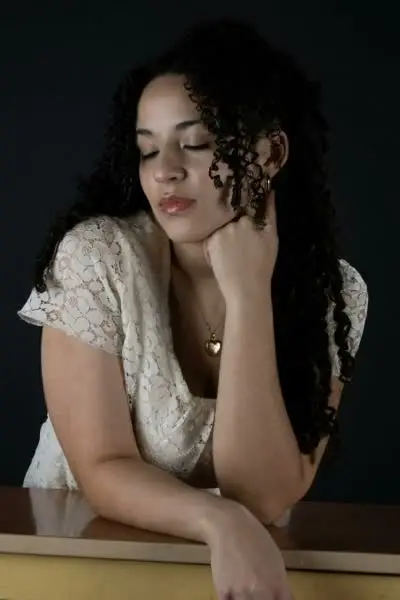
Angel Wings
Angel Wings takes your uploaded clip and unfurls a pair of feathered wings behind you in slow motion, with light catching each feather as they spread. The rest of your shot stays as filmed, so the reveal reads like a moment you actually captured.

Animal Transform
Animal Transform takes your uploaded clip and morphs the person on screen into an animal, blending fur, ears, snout, and eyes onto the face while your original movement and framing stay intact. The result is a smooth on-camera shapeshift, part creature, part you, that plays out in the middle of a normal video.

ARC Left
ARC Left swings the camera in a smooth leftward curve around your subject, turning a static, locked-off clip into a moving orbit shot. You get that gimbal-style reveal, where the background slides past and the subject stays centered, without a slider, a track, or a second take.

Dress Flip
Dress Flip turns a short clip of you into an outfit reveal: the dress lifts on a turn and lands as a different look before the spin finishes. Upload the clip and MagicShot handles the change, so you don't need a second outfit or a reshoot.

Frostbite
Frostbite crawls ice across your clip, frost spreading over skin, hair, and fabric until your subject is glazed in a blue-white crystal shell. You get a slow, cinematic freeze with cracked ice edges and a cold color shift, no VFX artist and no frame-by-frame masking.

Sticker Peel
Sticker Peel turns the subject in your clip into a glossy die-cut sticker with a thick white border, then curls one corner and peels it off the frame. You get vinyl shine, a lifting edge, and the background showing through the space where your subject used to be.
-poster.webp)
Demon
Demon takes your uploaded clip and possesses the person in it: ember-lit eyes, cracked and darkening skin, curling horns and a low red glow that tracks every head turn. You end up with a horror-trailer close-up, minus the makeup chair.

Vanish
Vanish dissolves the subject of your clip into drifting particles until only the background is left standing. Upload one take and you get a clean disappearing act, no masking or frame-by-frame cleanup.

Creature Shift
Creature Shift transforms the person in your clip into a full creature, trading skin for scales, fur, horns, and hide while your original movement and framing carry through. The result is a practical-effects style transformation shot from one upload, no prosthetics chair and no VFX artist.
-poster.webp)
Pizza Fall
Pizza Fall drops a downpour of pizza slices into your clip, so they tumble past the camera and pile up around you while you stand there unbothered. The look is cheesy chaos that moves with your footage instead of sitting on top of it like a sticker.

Earth Element
Earth Element turns your uploaded clip into a scene where rock, soil and dust tear up from the ground and orbit you like you called them. The result is a grounded, gritty power moment: cracked stone chunks spinning mid air, dust trails, and debris circling your body while you stay in frame.

Maternity Glow
Maternity Glow takes a short clip of your bump and relights it in warm golden light, with a soft dreamy haze, gentle skin smoothing and that backlit shimmer through fabric and hair. The result looks like a booked golden-hour maternity shoot, filmed on your phone next to a window.

Runway Turn
Runway Turn takes one short clip of you standing or posing and sends you down a catwalk: a confident walk toward camera, a sharp pivot, and the walk back. You get fashion-week energy from footage shot against your bedroom wall.

Food Fall
Food Fall drops a downpour of food into your clip: burgers, donuts, fruit, noodles and fries falling through frame, bouncing off your subject and piling up around them. Your original shot stays intact, so the result looks like a food commercial that lost control of its props.

Cyborg
The Cyborg video effect takes your uploaded clip and peels back one side of the face into machined plating, glowing optics, and exposed servos while the other half stays human. You get the classic half-machine reveal in seconds, no prosthetics, no VFX artist, no three-day render.

Suit Transform
Suit Transform swaps whatever you're wearing on camera for a sharp tailored suit, keeping your face, motion, and framing intact. The result is a clean before-and-after moment: same clip, same you, suddenly dressed for the boardroom or the red carpet.

ARC Right
ARC Right takes your uploaded clip and sweeps the camera in a curved orbit around your subject, moving right while keeping them centered in frame. The result reads like a gimbal operator walked a half circle around the shot, with parallax on the background instead of a flat digital pan.

Sand Storm
Sand Storm turns your uploaded clip into a full desert blowout, wrapping your subject in swirling grit, ochre haze and wind-whipped hair while the background disappears into dust. The result reads like a storm rolled in mid-take, with your footage still front and center.
-poster.webp)
Clone Chaos
Clone Chaos fills your clip with copies of your subject, each duplicate moving on its own while the original keeps doing whatever it was doing. One upload turns a solo take into a crowded frame of look-alikes that share the same face, lighting and camera angle.

Flood Rise
Flood Rise takes your uploaded clip and fills the scene with water that climbs frame by frame, complete with a moving surface, ripples and reflections that match the room or street you shot. The result is a disaster-movie moment where your ordinary footage slowly goes under.

Storm Strike
Storm Strike drops a full thunderstorm onto your uploaded clip: black clouds roll in, rain starts, and a lightning bolt cracks down on your subject with a blown-out white flash. What you get back is a dark, high-contrast shot with wet highlights and electricity still hanging in the frame.
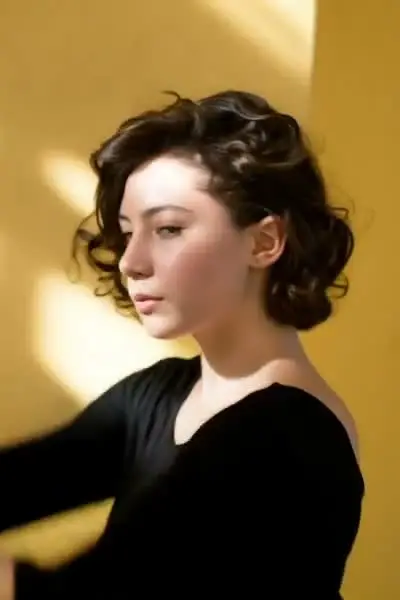
Mermaid
The Mermaid effect pulls your clip underwater and turns your legs into a long scaled tail, with hair lifting, bubbles drifting past, and light rippling across the frame. You get a slow, weightless swim shot that looks like it was filmed in a tank.

Bloom Mouth
Bloom Mouth turns a clip of you opening your mouth into a slow flower bloom, with petals and stems pushing past your lips as the camera holds on your face. The result is a surreal, dreamlike beauty shot that looks hand-made in After Effects but takes one upload.

Divine Light
Divine Light pours a shaft of heavenly light into your clip, lighting your subject from above with god rays, a halo behind the head, and warm rim light on the shoulders. The glow tracks movement frame by frame, so it reads like the sky opened over the shot instead of a filter dropped on top.

Muscle Surge
Muscle Surge takes a normal clip of you and pumps up your frame on camera: shoulders widen, arms fill out, and the shirt goes tight while the shot keeps rolling. You get a gym-fantasy transformation in one clip, without six months of bulking or a single extra rep.

Jelly Drift
Jelly Drift turns an ordinary clip into soft, wobbling gelatin, so every head turn and hand movement ripples through the frame and settles back a beat late. You get that squishy, floating-in-jello look across your subject and background without touching a mesh warp or a keyframe.
-poster.webp)
Running
Running turns a subject who's standing still into a full sprint, with hair whipping back, jacket flaring, and the background pulling past them. You walk away with an action shot that would normally take a runner, a camera op, and three takes to get right.

Crown Moment
Crown Moment lowers a glowing crown onto your subject's head partway through the clip, with a flare of light and a slow settle as it lands. Everyday phone footage ends up looking like a coronation shot.

Glow Finish
Glow Finish wraps a soft bloom around the brightest parts of your clip, so highlights bleed, skin smooths out, and rim light catches on hair and edges. You get footage that looks shot through a diffusion filter instead of an hour of grading in Premiere.

Visor X
Visor X drops a sci-fi visor over your eyes mid-clip, with a glowing HUD readout tracking your head as you move. Your ordinary phone footage turns into a shot from a space-opera trailer, no prosthetics and no VFX artist.

Clone Duo
Clone Duo copies the person in your clip and puts the double right there in the same shot, so you and your twin share the frame and move together. The result is a two-of-you moment from a single upload, no second actor and no green screen.

Giant Scale
Giant Scale takes your uploaded clip and rescales your subject to skyscraper height, planting them in the street with cars, signs, and rooftops shrinking at their feet. The result is a kaiju-sized version of you moving exactly the way you moved, with matching perspective and shadow so the size gap reads instantly.

Hand-Drawn Cel
Hand-Drawn Cel redraws your uploaded clip as classic cel animation: inked outlines, flat painted fills, and the faint line wobble of art drawn one frame at a time. Real footage comes back looking like a scene lifted from a hand-painted animation reel.

God Father
God Father turns a short clip of you into a moody mafia-movie portrait, complete with sharp suiting, low amber light and drifting cigar smoke. The result is a slow, weighty piece of footage that looks shot on a dim back-room set instead of your kitchen.

Flame On
Flame On sets your clip alight, wrapping your subject in rolling fire, drifting embers, and a heat ripple that bends the background behind them. One upload turns ordinary phone footage into a superhero ignition shot.
-poster.webp)
Cat Walk
Cat Walk turns your uploaded clip into a runway moment: your subject strides down a lit catwalk with a paced, camera-flash-lit strut. You keep your own face and outfit, but the walk reads like fashion week footage instead of a phone video shot in a hallway.

Visor Scan
Visor Scan lays a sci-fi helmet HUD over your clip, sweeping a scan line, reticles and readout ticks across whatever the camera is looking at. A plain walk down the street comes back looking like the opening thirty seconds of a mission.

Glass Shatter
Glass Shatter turns your clip into a pane of glass that fractures on impact and bursts apart, sending lit shards spinning past the lens. You get a hard-cut break moment with cracks, reflections and flying fragments, no VFX artist and no shard-by-shard keyframing.

Bokeh Rain
Bokeh Rain turns your clip into a rainy-night scene where every droplet and background light blooms into a soft, out-of-focus orb of glow. Your subject stays sharp while blurred circles of light drift and fall around them, like footage shot wide open on a fast lens after dark.

Double Exposure
Double Exposure blends a second scene into your subject's silhouette, so a face or body turns into a window onto moving city lights, waves, or trees. You upload one clip and get back a layered, film-negative look with the two images breathing together in motion.

Turn
Turn animates your uploaded clip so the subject pivots and rotates toward the lens, landing on a clean face-on hero frame. You get the reveal moment without a gimbal, a second camera operator, or eleven retakes that all miss the timing.

Earth Zoom Out
Earth Zoom Out lifts the camera straight up out of your uploaded clip, past rooftops and cloud cover, until your subject is one pinpoint on a spinning planet. You get the satellite-style pull-back reveal in a single vertical clip, without keyframing a thing.

Boyfriend Hug
Boyfriend Hug turns your solo clip into a warm hug from behind, with arms wrapping around you and a head resting on your shoulder. The result looks like a candid couple moment someone filmed for you, not a solo video.

Mouth In
Mouth In takes your clip and rockets the camera forward into the subject's open mouth, past the lips and teeth until the frame goes dark. The result is a fast, funny gut-punch of a transition you can cut straight into whatever comes next.

Fire Flair
Fire Flair sets your clip alight: flames lick up around your silhouette, embers drift across the frame, and everything picks up a hot orange rim glow that moves as you move. Upload a short video and MagicShot burns the fire in for you, no VFX timeline and no compositing work.

Aurora
Aurora hangs a live northern lights display over your clip, with green and violet curtains that drift, fold, and pulse above the horizon while your original framing and camera motion stay intact. The result is a polar night sky sitting on top of footage you shot in your own backyard.
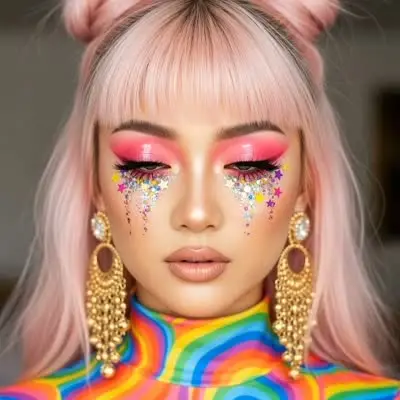
Rainbow Tears
Rainbow Tears turns an ordinary close-up into a face streaming with prismatic, technicolor tears that catch the light as they fall. The clip keeps your real expression and framing, so it reads like a genuine cry scene that someone spiked with color.

Levitate
Levitate lifts your subject off the ground and holds them mid-air, with hair, sleeves, and jacket hems drifting like gravity took the afternoon off. You get one smooth rise and hover from a clip you shot standing still, no wires, no rig, no VFX artist on retainer.

Shade Drop
Shade Drop takes your uploaded clip and drops a pair of sunglasses onto your face, landing them on the beat with the tilt, glare and shadow matched to your footage. You get the classic shades-falling moment without holding a prop or timing a single keyframe.


Group Photo
Group Photo takes one still group shot and sets every person in it moving at once, so the whole wedding party, team, or family reacts inside the same frame. The result is a short clip with natural head turns, smiles, and shifts across every face, no reshoot required.

Melting
Melting takes your clip and lets it slump, with faces, clothes and edges sagging and running like wax under a heat lamp until the whole frame drips. You get a surreal, gooey version of a normal phone video without a VFX artist or a night lost in After Effects.

Balloon Lift
Balloon Lift ties an invisible bunch of helium balloons to your subject and floats them up off the ground, clothes and hair drifting as the floor drops away. The clip keeps your real location and lighting, so it reads like a scene from a kids' film rather than a sticker slapped on top.

Money Rain
Money Rain fills your clip with cash falling through frame, bills tumbling past the lens and drifting down around whoever is on camera. Your original shot stays intact underneath, just caught mid downpour.

Garden Bloom
Garden Bloom turns a plain clip into a garden waking up: blossoms unfurl around your subject, petals drift across the frame, and green vines creep in as the shot plays. The result is a soft, spring-lit look you'd normally need a rented flower wall and a florist invoice to get.

Thunder God
Thunder God turns an ordinary clip into a storm scene: the sky goes dark, lightning forks behind you, and electric arcs crawl across your hands and shoulders as you move. You get a comic book power-up shot out of phone footage, with no VFX artist and no compositing session.

Flood
Flood fills your uploaded clip with rising water, pushing a churning surface up over floors, streets, cars, and furniture while the rest of the shot stays put. The result is a disaster-movie moment made from footage you already filmed on your phone.

Iron Suit
Iron Suit turns a normal clip into a suit-up moment: armored plates fly in and lock around your body panel by panel until you are standing in a full metal exosuit. The look is hard-surface and reflective, with a lit chest core, seam lines that catch the light, and a slow hero settle at the end.

Petal Storm
Petal Storm blows a swirl of flower petals through your clip, catching the wind around your subject, drifting past the lens, and settling in the foreground. It gives ordinary footage that slow-motion cherry blossom look without a wind machine, a bag of petals, or a trip to a park in bloom.
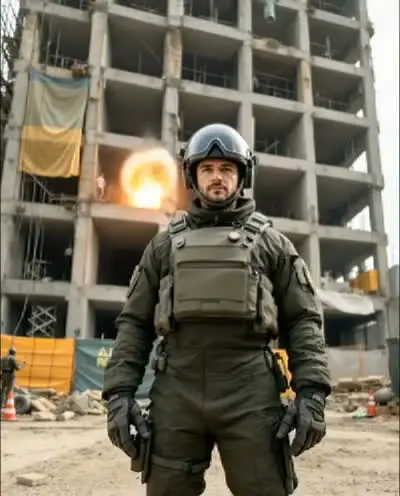
Building Explosion
Building Explosion turns an ordinary shot of a building into a demolition moment, with a blast front, rolling fire, flying debris and a dust cloud that swallows the street. The result looks like an action-movie beat cut into your own footage, without a VFX artist or a single real spark.

Train Rush
Train Rush drops a full-speed train into your clip, tearing past inches from your face while you stand your ground without flinching. You get the camera shake, the rush of air, and the near-miss timing in a few seconds of footage.

Floral Eyes
Floral Eyes turns a close-up video clip into a slow bloom, with petals unfurling across the eyes and lashes as the face holds still. The result is a dreamy, half-botanical portrait that moves with your footage instead of sitting on top of it like a sticker.

Kittens Hugs
Kittens Hugs takes a short video of you and fills the frame with fluffy kittens that cuddle up against your shoulders and cheek. You get back a soft, warm, cat-covered clip from footage you shot on your phone, no real cat required.
-poster.webp)
Freezing
Freezing wraps your uploaded clip in creeping frost until your subject is locked inside a block of ice, complete with fogged breath and pale blue light. The result is a slow, cinematic freeze-over that turns a normal phone video into a winter shock moment.
-poster.webp)
Golden Statue
Golden Statue turns your clip into a living gold sculpture, coating skin, hair, and fabric in polished metal that catches the light as the subject moves. You get the museum-piece look without body paint, a VFX artist, or a second take.

Turning Metal
Turning Metal takes the person in your clip and turns them into polished liquid chrome, with the metal spreading across skin, hair and clothing as the shot plays out. Your original motion and framing stay intact, now rendered as a moving mirror finish that catches the light in every frame.

Aquarium
Aquarium sinks your uploaded clip into a glass tank, with fish drifting past behind you, bubbles rising through the frame, and blue caustic light rippling over faces and walls. Your subject stays exactly where they were while the room turns into water.

Hulk
The Hulk effect takes your uploaded clip and swells the subject into a green, muscle-bound giant, with skin turning green, shoulders widening, and the shirt giving up somewhere around the second bicep flex. Your framing, your background, and your motion stay intact, so it reads like the transformation happened right there in your kitchen.
Video effects FAQ
Ready to create something magical?
Join 500,000+ creators making images, videos and voiceovers in seconds.