Make images and video in Claude with MagicShot
Add MagicShot to Claude once, then just ask. No key to paste: you sign in to MagicShot and it runs on your credits.
Paste this into Claude Code with your API key, then just ask.
claude mcp add --transport http magicshot https://mcp.magicshot.ai/mcp \
  --header "Authorization: Bearer msk_YOUR_KEY"
Run it once in your terminal. That is the whole setup.
Paste this into Cursor with your API key, then just ask.
{
  "mcpServers": {
    "magicshot": {
      "url": "https://mcp.magicshot.ai/mcp",
      "headers": { "Authorization": "Bearer msk_YOUR_KEY" }
    }
  }
}
Add to your global mcp.json, or a per-project .cursor/mcp.json.
Paste this into VS Code with your API key, then just ask.
{
  "servers": {
    "magicshot": {
      "type": "http",
      "url": "https://mcp.magicshot.ai/mcp",
      "headers": { "Authorization": "Bearer msk_YOUR_KEY" }
    }
  }
}
Note the servers key and "type": "http".
Paste this into Codex with your API key, then just ask.
[mcp_servers.magicshot]
url = "https://mcp.magicshot.ai/mcp"
http_headers = { "Authorization" = "Bearer msk_YOUR_KEY" }
Streamable HTTP. On older Codex versions, add experimental_use_rmcp_client = true at the top of the file.
Paste this into Windsurf with your API key, then just ask.
{
  "mcpServers": {
    "magicshot": {
      "serverUrl": "https://mcp.magicshot.ai/mcp",
      "headers": { "Authorization": "Bearer msk_YOUR_KEY" }
    }
  }
}
Same idea as Cursor, but the key is called serverUrl.
Paste this into Claude Desktop with your API key, then just ask.
{
  "mcpServers": {
    "magicshot": {
      "command": "npx",
      "args": ["mcp-remote", "https://mcp.magicshot.ai/mcp",
               "--header", "Authorization: Bearer msk_YOUR_KEY"]
    }
  }
}
Connected MagicShot on claude.ai already? It shows up in the desktop app too, no config needed. Otherwise bridge it with mcp-remote so your key is passed through.
Paste this into your MCP client with your API key, then just ask.
# transport  Streamable HTTP (POST + SSE)
# url        https://mcp.magicshot.ai/mcp
# auth       Authorization: Bearer msk_YOUR_KEY
# tools      suggest, search_tools, list_models,
#            text_to_image, text_to_video, image_to_video,
#            run_tool, get_job_status, get_credits
Anything that speaks MCP and lets you set a URL and an Authorization header.
https://mcp.magicshot.ai/mcpHow to connect
Connect MagicShot to Claude in under two minutes.
Add MagicShot as a connector
Press Connect MagicShot, or go to Customize, Connectors, Add custom connector, name it MagicShot and paste the endpoint. Then sign in to MagicShot when Claude asks.
Add MagicShot to ClaudeAsk for an image or a video
Describe what you want in plain words. Your assistant picks the tool, runs it on your credits and hands back the result.
Get your API key
Sign in to MagicShot and create a key under API Keys. It looks like msk_ followed by letters and numbers.
Create a keyPaste it into Claude Code
Copy the command above, swap msk_YOUR_KEY for your key, and run it.
Ask for an image or a video
Describe what you want in plain words. Your assistant picks the tool, runs it on your credits and hands back the result.
Get your API key
Sign in to MagicShot and create a key under API Keys. It looks like msk_ followed by letters and numbers.
Create a keyPaste it into Cursor
Copy the config above into ~/.cursor/mcp.json and swap msk_YOUR_KEY for your key.
Ask for an image or a video
Describe what you want in plain words. Your assistant picks the tool, runs it on your credits and hands back the result.
Get your API key
Sign in to MagicShot and create a key under API Keys. It looks like msk_ followed by letters and numbers.
Create a keyPaste it into VS Code
Copy the config above into .vscode/mcp.json and swap msk_YOUR_KEY for your key.
Ask for an image or a video
Describe what you want in plain words. Your assistant picks the tool, runs it on your credits and hands back the result.
Get your API key
Sign in to MagicShot and create a key under API Keys. It looks like msk_ followed by letters and numbers.
Create a keyPaste it into Codex
Copy the config above into ~/.codex/config.toml and swap msk_YOUR_KEY for your key.
Ask for an image or a video
Describe what you want in plain words. Your assistant picks the tool, runs it on your credits and hands back the result.
Get your API key
Sign in to MagicShot and create a key under API Keys. It looks like msk_ followed by letters and numbers.
Create a keyPaste it into Windsurf
Copy the config above into ~/.codeium/windsurf/mcp_config.json and swap msk_YOUR_KEY for your key.
Ask for an image or a video
Describe what you want in plain words. Your assistant picks the tool, runs it on your credits and hands back the result.
Get your API key
Sign in to MagicShot and create a key under API Keys. It looks like msk_ followed by letters and numbers.
Create a keyPaste it into Claude Desktop
Copy the config above into claude_desktop_config.json and swap msk_YOUR_KEY for your key.
Ask for an image or a video
Describe what you want in plain words. Your assistant picks the tool, runs it on your credits and hands back the result.
Get your API key
Sign in to MagicShot and create a key under API Keys. It looks like msk_ followed by letters and numbers.
Create a keyAdd the server to your client
Point it at the endpoint over Streamable HTTP and send your key as Authorization: Bearer msk_YOUR_KEY.
Ask for an image or a video
Describe what you want in plain words. Your assistant picks the tool, runs it on your credits and hands back the result.
What your assistant can do once connected
Nine tools, one connection. Your assistant chooses between them; you just say what you want.
Generate images
Turn a prompt into finished images.
text_to_imageGenerate videos
Turn a description into a clip.
text_to_videoAnimate a still
Bring a photo to life with motion.
image_to_videoRun any tool
Background removal, upscaling, headshots and the rest of the catalog.
run_toolFind the right tool
Search every MagicShot tool by what you need.
search_toolsGet a recommendation
The best tool and model for your goal.
suggestBrowse the models
Every model, with its ratios, durations and inputs.
list_modelsTrack a job
Follow a generation to the finish.
get_job_statusCheck your balance
See the credits you have left, anytime.
get_credits
Things you can just ask for
Pick a prompt to preview what your assistant sends back.
A cinematic sunset over a mountain lake, 16:9
Using MagicShot · text_to_image
The result comes back as a link, ready to download or drop into your project.
The latest models, all through one endpoint
Wan 3.0 Prime
FeaturedAlibaba · Video
Wan 3 Prime is the fast tier of Alibaba's Wan 3.0 video model, built for text-to-video and image-to-video generation. It turns a prompt or a single photo into a video clip up to 30 seconds long, complete with a matching audio track.
Gemini Omni 1.1
FeaturedGoogle · Video
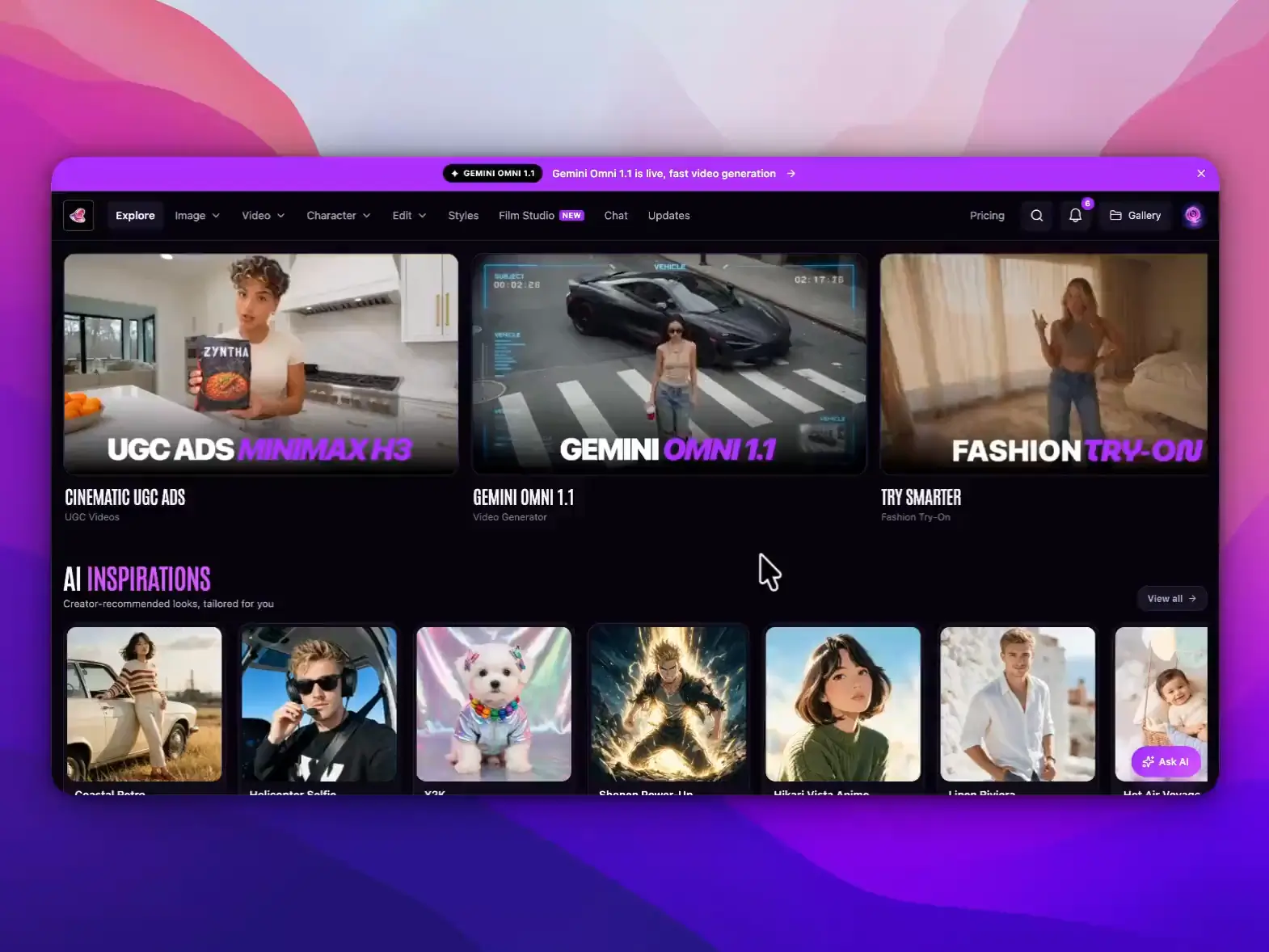
Gemini Omni 1.1 is Google's fast multimodal video model, built to turn a text prompt or a single photo into a moving clip with sound already baked in. Inside MagicShot, it runs as the speed option for text-to-video and image-to-video, so you get a usable draft in seconds instead of minutes.
Qwen Image 3
Featuredalibaba · Image
Qwen Image 3 is Alibaba's third-generation image model, built to turn a single detailed prompt into dense, information-heavy visuals like newspaper pages, infographics, and exam papers. Inside MagicShot, it handles the kind of layout-heavy, text-heavy images that most image generators fall apart on.
MiniMax H3
FeaturedMiniMax · Video
MiniMax H3 is an omni-modal video model built by MiniMax that reads text, images, video, and audio together and turns them into finished video clips. On MagicShot, it works as a text-to-video and image-to-video engine that renders motion, on-screen text, and native stereo sound in a single generation.
Wan 3.0
Featuredalibaba · Video
Wan 3.0 is Alibaba Tongyi Lab's text-to-video model, built to turn a written prompt, a photo, or a reference clip into a finished video with sound already in it. Inside MagicShot, it runs on paid plans for product demos, social clips, and short marketing videos.
Seedance 2.5
FeaturedBytedance · Video
Seedance 2.5 is ByteDance's flagship multimodal video model, available inside MagicShot on a paid plan. It turns a text prompt plus up to 50 image, video and audio references into a single clip of up to 30 seconds, with dialogue, music and sound effects generated alongside the picture.
What is MCP, without the jargon
MCP is a universal adapter for AI assistants. Plug MagicShot in once and your assistant gains a new skill: making images and video, and running MagicShot tools on your pictures, right inside the chat.
No code
One click in Claude, or a one-time paste in your editor.
Same credits
Runs on the MagicShot plan you already have.
Plain words
Ask the way you would ask a person. It handles the rest.
MCP questions, answered
Generate without leaving your assistant
Connect MagicShot to Claude in one click, or paste one config into your editor.