Why AI Logo Generators are a Game-Changer
Let’s face it, traditional logo design can be a headache. Here’s why AI logo generators are becoming the go-to solution:- Speed and Efficiency: Forget weeks of back-and-forth with designers. AI logo makers deliver multiple logo options in minutes. Simply input your brand name, industry, and style preferences, and watch the magic happen.
- Cost-Effectiveness: Say goodbye to hefty designer fees. Logo generators offer affordable solutions, often with free trials and budget-friendly subscription plans. This makes professional logo design accessible to everyone, from solopreneurs to established businesses.
- Ease of Use: You don’t need to be a design whiz to create a great logo. Intuitive interfaces and guided processes make AI logo makers incredibly user-friendly.
- Variety and Customization: AI algorithms generate a wide range of logo options, giving you plenty to choose from. You can then customize your chosen design by adjusting colors, fonts, and layouts to match your brand’s unique identity.
- Instant Brand Identity: A strong logo is the cornerstone of your brand identity. It helps you establish a cohesive visual presence quickly and effectively.
MagicShot: A Case Study in AI-Powered Logo Creation
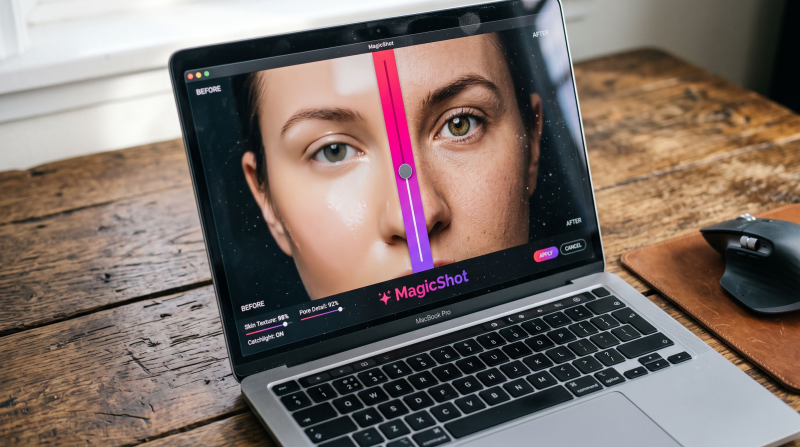
Let’s take a closer look at how a tool like MagicShot AI logo generator can simplify the logo design process. Imagine you’re launching a new tech startup focused on AI-powered photography tools. You need a logo that conveys innovation, creativity, and technological advancement. Here’s how you could use MagicShot.ai:Access the Logo Generator
- Go to MagicShot.ai: Visit the MagicShot.ai website.
- Find the Logo Generator: Look for 'AI Logo Generator' in the website’s menu or features section, or click here: (AI logo maker).
Describe Your Logo
- "Describe your logo in detail..." is the first prompt. This is crucial! Think about:
- What your brand represents: (e.g., modern technology, organic food, playful children’s brand)
- Desired style: (e.g., minimalist, abstract, vintage, geometric)
- Specific elements: (e.g., a specific shape, an animal, a letterform, a symbol)
- Colors: (e.g., bold colors, pastel colors, specific color palettes)
- Be as detailed as possible. The more information you give the AI, the better it can understand your vision.
- Use the "Inspiration" button if you’re stuck for ideas. It may provide prompts or examples.
Enter Your Brand Name (Optional)
- "Enter Brand Name (Optional)" allows you to input your company or project name. This will help the AI incorporate the name into the logo design.
Optimize Prompt (Optional)
- The "Optimize Prompt" toggle switch (shown as "on" in the image) likely helps refine your description for better AI understanding. If you’re unsure, leave it on.
Select Version
"Select Version" each version might produce slightly different results, so experiment to see what you prefer.Choose Aspect Ratio
The row of icons with "1:1", "9:16", "16:9", "3:4", and "4:3" allows you to select the aspect ratio of your logo. This is important for different uses (e.g., square for social media, wide for website headers).Generate the Logo
Click the "Generate" button. The estimated generation time is shown as "0.8 seconds to 10 seconds".Review and Refine
- After the AI generates the logos, you’ll be presented with several options.
- Choose the one you like best.
Download Your Logo
Once you’re satisfied, download your logo in the PNG format. Key Takeaways:- The description you provide is the most important factor in getting a logo you love.
- Experiment with different settings like version and aspect ratio.
- Don’t be afraid to iterate. If you don’t like the first results, refine your description and generate again.
Tips for Maximizing Your AI Logo Generator Experience
- Be Specific with Your Preferences: The more detailed your input, the better the AI can understand your vision.
- Explore Different Styles: Don’t be afraid to experiment with various styles and options. You might discover a design you never considered.
- Focus on Simplicity: A simple, clean logo is often more memorable and versatile.
- Consider Your Target Audience: Ensure your logo resonates with your ideal customer.
- Test and Refine: Get feedback from others and don’t be afraid to make adjustments.
Beyond the Logo: Building a Complete Brand Identity
While a great logo is essential, it’s just one piece of the puzzle. It can also help you create a cohesive brand identity by providing:- Color Palettes: Consistent color usage across your brand materials.
- Font Recommendations: Complementary fonts that enhance your logo and brand message.
- Brand Guidelines: A style guide that ensures consistent brand representation.
Choosing the Right AI Logo Generator
With so many options available, how do you choose the best AI logo generator for your needs? We’ve got you covered. Check out our comprehensive guide on Choosing the Best AI Logo Generator for in-depth insights and comparisons.Exploring the Top AI Logo Generator Tools
To help you navigate the landscape of AI logo creation, we’ve compiled a list of the Top Best AI Logo Generator Tools. Explore these tools and find the perfect fit for your brand’s vision.The Future of Logo Design is Here
AI logo makers are democratizing logo design, making it accessible and affordable for everyone. Whether you’re a startup founder, a small business owner, or an individual looking to create a personal brand, these tools can help you create a professional logo that stands out.Ready to Create Your Perfect Logo?
Don’t let design limitations hold you back from making a bold statement. Leverage the innovation of AI logo generators like MagicShot.ai to unlock your brand’s visual potential. Start designing your professional logo today and create a lasting impact. By harnessing AI’s power, you can develop a logo that not only looks exceptional but also effectively conveys your brand’s purpose and values. Embrace the future of branding and watch your brand flourish.
Try Countless AI Image, Video, and Audio features on MagicShot.ai
Generate realistic photos of anything. Imagine, describe and create those images within seconds. Enhance your existing photos with our advanced AI engine.
Download App Now