Why Image-to-Video Generators are Essential in 2025
Before we dive into the specifics, let’s understand why AI image-to-video tools are no longer a luxury but a necessity in today’s content ecosystem.- Enhanced Engagement: Videos are inherently more engaging than static images. They capture attention, convey information more effectively, and leave a lasting impact on the audience. By converting your images into videos, you can significantly boost audience engagement across various platforms.
- Time and Cost Efficiency: Traditional video production can be time-consuming and expensive, requiring specialized skills and equipment. Online image-to-video converters streamline this process, allowing you to create high-quality videos in minutes without breaking the bank.
- Versatile Content Creation: From product showcases and educational content to social media stories and promotional campaigns, AI photo to video makers offer the versatility to create diverse video content for various purposes.
- Accessibility: With user-friendly interfaces and intuitive features, these tools make video creation accessible to individuals with little to no prior video editing experience.
- Improved Storytelling: Videos provide a dynamic medium for storytelling. By adding motion, music, and voiceovers to your images, you can create compelling narratives that resonate with your audience.
The Leading Image-to-Video Generators of 2025
Now, let’s explore some of the top image-to-video generators that you should definitely keep an eye on in 2025:MagicShot AI:
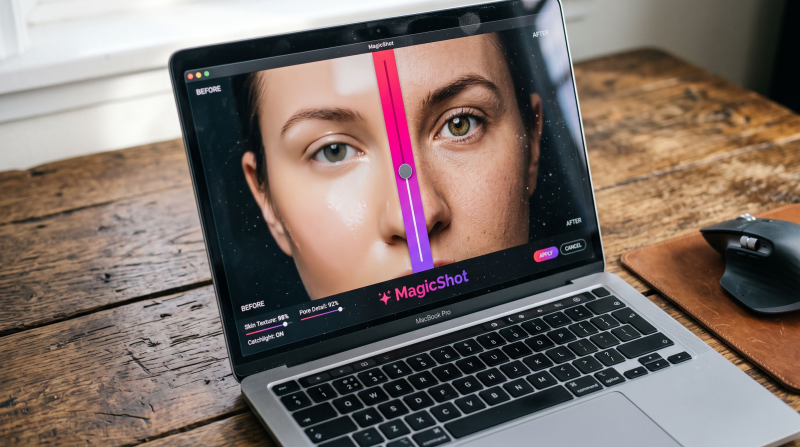
MagicShot AI stands out for its user-friendly interface and powerful AI algorithms. It allows you to effortlessly transform single or multiple images into captivating videos with various customization options. Key features include:- AI Image to Video Conversion: The platform’s primary function is to transform static images into dynamic videos.
- Drag-and-Drop Image Upload: Users can conveniently upload images by dragging and dropping them into the designated area.
- Detailed Video Description Input: A prominent text box allows users to describe their desired video in detail, likely guiding the AI’s animation and effects.
- Prompt Optimization Toggle: A switch labeled "Optimize Prompt" suggests a feature to enhance the user’s text description for better AI video generation.
- Maximum File Size Indication: Both image upload areas specify a maximum file size of 30 MB.
- High-Quality Output: Generate videos in various resolutions to ensure optimal visual quality.
DeeVid
DeeVid’s Image to Video AI stands out for its “one-tap” workflow that turns a single photo (or multiple images) into a short animated video, optionally guided by an AI prompt (or even auto-generated without prompts). Key features include:- One-tap image animation with optional prompt input (including “no prompt” generation)
- Start-to-End Frame Video to control transitions by choosing a beginning and ending frame
- Multi-Image Video to animate movement smoothly from one image to the next
- Enhancement options like adding background music, adjusting style/layout, then exporting or sharing
- HD export tiers (720p/1080p) plus 100+ templates/effects and a fast generation mode
- Credits-based system with a free trial (20 credits on registration, ~4 videos); paid plans include no watermark + commercial use
Getimg.ai:
Getimg.ai offers a suite of AI-powered tools, and its image to video online tool is particularly impressive. It leverages cutting-edge AI models to create short, engaging videos from static images. Highlights include:- Advanced AI Models: Choose from various top-tier AI models like Google Veo 2 and Runway Gen-4 Turbo, each with unique capabilities and styles.
- Prompt-Based Generation: Describe your desired video through text prompts, giving you creative control over the output.
- Start and End Frame Control: With specific models, you can upload both the starting and ending frames, allowing the AI to fill in the animation seamlessly.
- Versatile Image Support: Works seamlessly with photos, photorealistic images, and various styles of digital art.
- Soundtrack Generation (Optional): The AI can automatically generate background music to accompany your video.
Pollo AI:
Pollo AI focuses on simplifying the video creation process with its AI-driven platform. Its AI image to video generator is designed for speed and ease of use, making it ideal for quick content creation. Key features include:- Fast Processing: Quickly convert images into short, attention-grabbing videos.
- Multiple Styles and Templates: Choose from a variety of pre-designed styles and templates to match your content’s theme.
- Text-to-Video Capabilities: In addition to image-to-video, Pollo AI also offers text-to-video functionality for added versatility.
- Easy Sharing Options: Directly share your created videos to various social media platforms.
- User-Friendly Editor: Make simple edits and customizations to your videos with an intuitive interface.
Invideo.io:
Invideo.io is a comprehensive online video editor that includes a powerful free AI image to video tool. Trusted by millions, it offers a robust platform for creating engaging videos from images with extensive customization options. Notable features include:- AI-Powered Editing: Use text prompts to make changes to your videos, such as adding effects or changing background music.
- Workflow-Based Prompting: Structure your prompts using simple forms for more guided video generation.
- Vast Stock Media Library: Access over 16 million stock photos and videos to enhance your creations.
- Human-Sounding Voiceovers: Add realistic voiceovers to bring your videos to life.
- Customizable Templates: Utilize a wide range of templates designed for various purposes.
- Real-time Collaboration (Coming Soon): Collaborate with team members on video projects.
Vidnoz.com:
Vidnoz AI offers a fast image-to-video model that efficiently converts images and text into short, engaging videos. It focuses on providing a user-friendly experience with a range of creative options. Key features include:- Multiple Styles: Choose from over 30 various styles, including cartoon, anime, and claymation, to match your desired aesthetic.
- High-Quality and Smooth Motion: Generates videos with excellent color reproduction and smooth motion transitions.
- Video Resizing and Sharing: Easily resize your videos to fit different social media platforms and share them directly.
- Integration with Other AI Tools: Vidnoz AI offers other tools like Avatar to Video and Templates to Video for expanded video creation possibilities.
- Free Plan Available: Explore the features with a free plan.
Pictory.ai:
While primarily known for its text-to-video capabilities, Pictory.ai also offers a seamless way to create videos from images. It focuses on creating professional-looking videos quickly and efficiently. Key features include:- Easy Image Upload and Arrangement: Simply upload your images and arrange them in your preferred order.
- Automatic Voiceover and Music Suggestions: Pictory AI can automatically suggest relevant voiceovers and background music.
- Text Overlay and Branding Options: Add text, logos, and other branding elements to your videos.
- AI-Powered Video Summarization and Editing: Leverage AI for more advanced video editing tasks.
- High-Quality Video Output: Generate professional-grade videos in various formats.
Lumalabs.ai:
Luma Dream Machine by Lumalabs.ai is a cutting-edge AI video generator from image that focuses on creating extremely lifelike and cinematic videos. It excels in capturing motion and generating high-quality visuals. Key features include:- Realistic Video Generation: Produces videos with stunning realism and attention to detail.
- Efficient Processing: Generates videos relatively quickly.
- Motion Capture: Effectively captures and recreates motion concepts in your videos.
- Physics-Aware Generation: Ensures that generated motion adheres to the laws of physics for a more realistic feel.
- Multiple Shots per Video: Creates richer and more detailed videos with multiple scenes.
Choosing the Right Image-to-Video Generator
With so many excellent options available, how do you choose the right AI image to video converter for your needs? Consider the following factors:- Ease of Use: Look for a tool with an intuitive interface that aligns with your technical skills.
- Features and Capabilities: Identify the specific features you need, such as animation styles, music libraries, text options, and customization settings.
- Output Quality: Ensure the generator produces high-resolution videos that meet your quality standards.
- Pricing: Consider your budget and explore free trials or plans that offer the best value for your requirements.
- Customer Support: Check for the availability of helpful resources and customer support in case you encounter any issues.
- Integration: If you plan to integrate the tool with other platforms or workflows, ensure it offers seamless compatibility.
The Future of Image-to-Video Technology
The field of image-to-video generation is rapidly evolving, with exciting future trends on the horizon. We can expect to see:- More Realistic and High-Fidelity Video Generation: AI models will continue to improve, producing even more lifelike and detailed videos.
- Enhanced Control and Customization: Users will have greater control over the generated videos, with more options for customization and creative direction.
- Integration with Other AI Tools: Seamless integration with other AI-powered content creation tools will streamline workflows.
- Real-time Video Generation: Faster processing times will lead to near real-time video generation capabilities.
- Multimodal Input: Future tools may allow for more diverse inputs beyond just images, such as text prompts combined with images for more specific video creation.
Conclusion
In 2025, image-to-video generators are poised to become indispensable tools for anyone looking to create engaging and impactful video content. The platforms highlighted in this blog post represent the forefront of this technology, offering a range of features and capabilities to suit various needs and skill levels. By leveraging the power of AI in video creation, you can transform your static images into dynamic stories that captivate your audience and elevate your content strategy to new heights. Don’t miss out on the opportunity to harness these innovative tools and unlock the full potential of your visual content.
Try Countless AI Image, Video, and Audio features on MagicShot.ai
Generate realistic photos of anything. Imagine, describe and create those images within seconds. Enhance your existing photos with our advanced AI engine.
Download App Now