What are SVGs and Why are They Important?
SVG is an XML-based vector image format for two-dimensional graphics with support for interactivity and animation. Unlike raster images (like JPEG or PNG), which are composed of pixels, SVGs are defined by mathematical formulas. This means they can be scaled to any size without losing quality, making them ideal for responsive web design and various digital applications.Here's Why SVGs are Crucial
- Scalability: They maintain sharpness at any resolution, ensuring crisp visuals on all devices.
- Small File Size: SVGs are typically smaller than raster images, leading to faster loading times and improved website performance.
- Interactivity and Animation: They support animations and interactive elements, enhancing user engagement.
- Search Engine Friendly: Search engines can index the text within SVGs, improving SEO.
- Editability: SVGs can be easily edited using vector graphics editors, providing flexibility and customization.
The Rise of AI SVG Generators
Traditional SVG creation often requires proficiency in vector graphics software like Adobe Illustrator or Inkscape. However, AI SVG generators are democratizing the process, making it accessible to everyone. These tools leverage artificial intelligence and machine learning to automate complex tasks, simplifying SVG creation and enabling users to generate stunning vector graphics with minimal effort.Key Features of a Good AI SVG Generator
When choosing an AI SVG generator, consider the following features:- Ease of Use: An intuitive interface and user-friendly workflow are essential for a seamless experience.
- Image to SVG Conversion: The ability to convert raster images (JPEG, PNG) into SVGs with high accuracy.
- Text to SVG Generation: Generating SVGs from text prompts or descriptions, allowing for quick and creative design.
- AI-Powered Editing Tools: Features like automatic color palette generation, shape manipulation, and style transfer.
- Customization Options: The ability to customize generated SVGs, including colors, shapes, and styles.
- Integration Capabilities: Seamless integration with other design tools and platforms.
- Output Quality: Ensuring the generated SVGs are clean, optimized, and scalable.
- Pricing and Accessibility: Offering affordable pricing plans and accessibility for various user needs.
Top AI SVG Generators to Consider
Here are some of the best AI SVG generators available today1. MagicShot.ai:
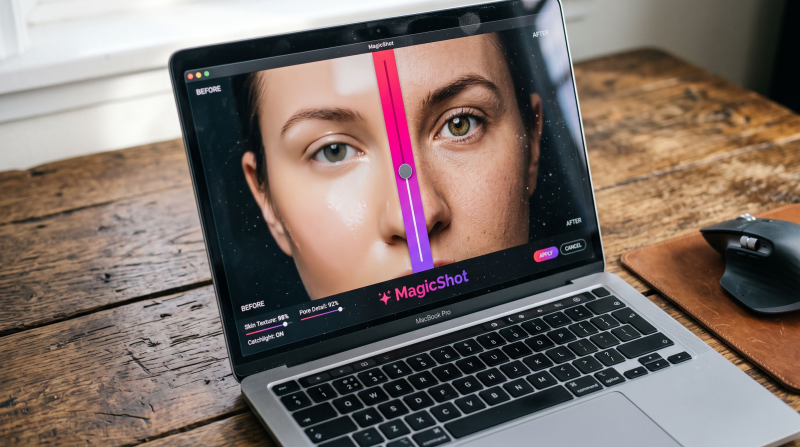
MagicShot AI SVG art generator allows users to create unique SVG art using text prompts and AI. It's designed to be user-friendly, enabling even those without extensive design experience to produce stunning vector graphics. Key Features:- Text-to-SVG conversion.
- Customizable styles and parameters.
- High-resolution SVG output.
- Easy to use interface.
2. Canva:
Canva's Vector AI integrates AI-powered vector generation into its popular design platform. It's designed to be accessible to a wide audience, offering a simple and intuitive way to create vector graphics. Key Features:- AI-powered vector generation within the Canva platform.
- Integration with Canva's vast library of templates and assets.
- Easy-to-use drag-and-drop interface.
- Easy to edit.
3. Kittl:
Kittl's Vector Generator offers a comprehensive suite of AI-powered design tools, including vector generation. It's a platform designed for both beginners and professionals, providing a wide range of templates and customization options. Key Features:- AI-driven vector creation.
- Extensive library of templates and assets.
- Advanced editing tools.
- User friendly interface.
4. SVG.io:
SVG.io is a straightforward and efficient tool for creating and editing SVG files. It offers a clean interface and essential features for vector graphic creation. Key Features:- Clean and intuitive interface.
- Basic vector editing tools.
- SVG code editing.
- Simplicity.
5. Recraft:
Recraft AI Vector Generator empowers users to create high-quality vector graphics using advanced AI algorithms. It's designed to provide precise control over the design process. Key Features:- Advanced AI vector generation.
- Detailed customization options.
- High-resolution output.
- Ability to create icons, illustrations, and 3D art.
How to Use an AI SVG Generator
The process of using an AI SVG generator typically involves these steps:- Upload an Image or Enter a Text Prompt: Upload the raster image you want to convert or enter a text description for the desired SVG.
- Select Conversion Settings: Choose the appropriate settings, such as tracing options, color modes, and output format.
- Generate the SVG: Click the generate button and let the AI process the image or text.
- Customize the SVG (Optional): Use the editing tools to refine the generated SVG, adjusting colors, shapes, and styles.
- Download the SVG: Download the optimized SVG file for use in your projects.
Benefits of Using AI SVG Generators
- Time Savings: Automate the tedious process of manual vectorization.
- Increased Efficiency: Generate high-quality SVGs quickly and easily.
- Accessibility for Non-Designers: Create professional-looking vector graphics without design expertise.
- Creative Exploration: Experiment with different styles and designs with ease.
- Improved Workflow: Streamline the design process and enhance productivity.
Applications of AI-Generated SVGs
AI-generated SVGs can be used in various applications, including:- Web Design: Create responsive logos, icons, and illustrations.
- Graphic Design: Design marketing materials, social media graphics, and print materials.
- UI/UX Design: Develop user interface elements and icons.
- Animation and Motion Graphics: Create animated SVGs for web and video.
- Data Visualization: Generate interactive charts and graphs.
- Product Design: Create vector-based product mockups and prototypes.
Conclusion
AI SVG generators are transforming the landscape of vector graphics creation, making it more accessible and efficient. By leveraging the power of artificial intelligence, these tools empower users to generate stunning, scalable vector graphics with ease. Whether you're a professional designer or a novice, AI SVG generators can streamline your workflow and unlock new creative possibilities. As AI technology continues to advance, we can expect even more innovative and powerful SVG generation tools to emerge, further simplifying the process and enhancing the quality of vector graphics.
Try Countless AI Image, Video, and Audio features on MagicShot.ai
Generate realistic photos of anything. Imagine, describe and create those images within seconds. Enhance your existing photos with our advanced AI engine.
Download App Now